

GTM Engineering for B2B SaaS: Build Your First Workflow
Build a demo-request routing workflow for B2B SaaS. Learn what to automate, how to test the handoff, and how to measure response time and pipeline.
What is GTM engineering for B2B SaaS?
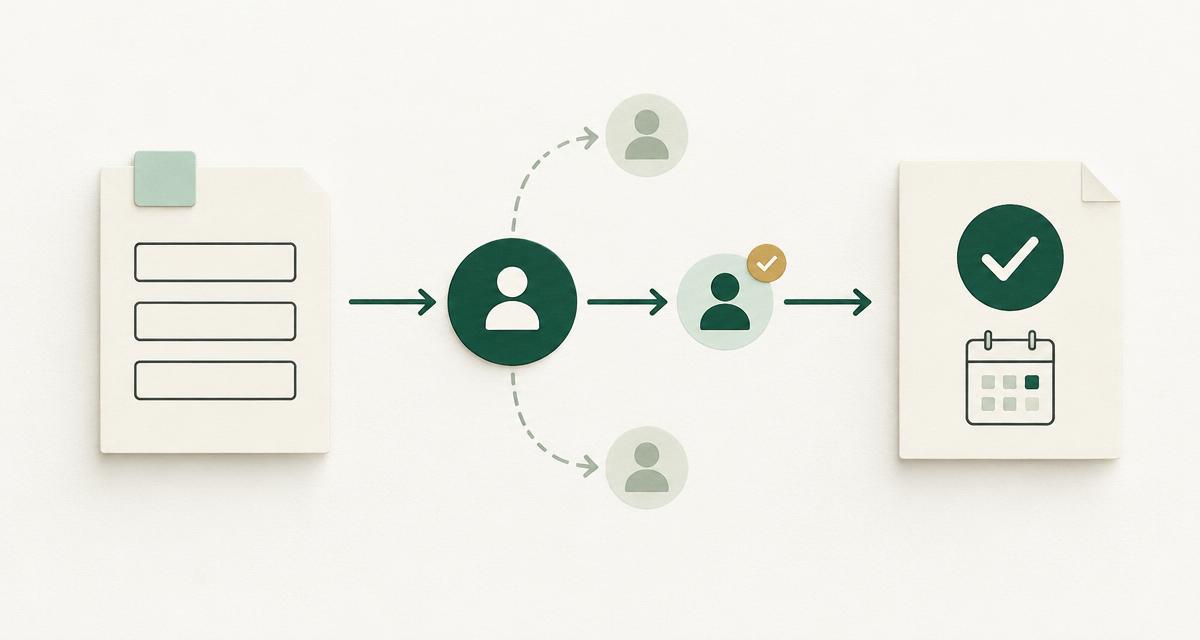
GTM engineering is the practice of building repeatable systems that turn buying signals into sales and marketing actions. A signal comes in, the workflow checks it against rules your team agreed on, someone takes the next step, and the outcome goes back into the CRM. The point isn’t to automate everything. It’s to make a useful decision reliably, at the moment it matters.
Take a demo request. Marketing is accountable for the offer and the audience it attracts. Sales is accountable for the follow-up. RevOps owns shared definitions, routing rules and CRM reporting. GTM engineering connects the form, the CRM and the rep’s queue so the right person can act without hunting for context. On a small team, one person can wear several of those hats.
This guide applies the signal-to-revenue model and the Detect, Decide, Deliver, Debrief framework to one practical build: routing inbound demo requests.
1. Pick a handoff that already happens
Start with the workflow for which you can answer three questions: Does it happen often enough to learn from? Does a delay or mistake matter to the buyer? Can sales and marketing agree on what a good decision looks like?
A demo form is a good candidate if it already brings in relevant buyers and reps are slow to pick up requests. A pricing-page visit is a weaker signal on its own: treat it as a reason to investigate, not a reason to send an email. If two experienced reps disagree on who qualifies, write down the differences and agree on your ideal customer profile (ICP) before automating the judgment. If requests are scarce because the offer isn’t working, fix the demand-generation fundamentals first.
Write the pilot in one sentence: “When someone requests a demo, give the right rep a single task with enough context to respond, and record whether the handoff led to a qualified meeting.”
2. Build the demo-request workflow
Detect — capture the request. Use the form submission as the trigger. Record a stable submission ID, the original timestamp, the contact’s email and company, what they asked for, and campaign source if available. Keep the original timestamp even if enrichment is delayed. Don’t make optional enrichment a prerequisite for a rep to see the request.
Decide — route in a predictable order. Start with explicit CRM rules. Agree on which accounts count as active customers or open opportunities, which regions each team covers, and who owns exceptions. Here’s an example policy, evaluated top to bottom:
- Existing customer or open opportunity with a confirmed owner: route to that owner so a second rep doesn’t start a parallel conversation.
- Unambiguous new account that matches your segment and territory rules: route to the assigned rep or team queue.
- Missing company, conflicting matches or no active owner: route to a named review queue. An unknown match is not the same as a poor fit.
Deliver — create one actionable task. Link the CRM record and include the buyer’s request, the reason for assignment and the response deadline. Start with a target your team can staff, such as a human reply within 30 business minutes. Route after-hours requests to the next staffed shift. If a rep can’t take the task, a named backup should own it. Keep customer-facing messages human-approved during the pilot; an AI draft can help, but neither the draft nor a receipt email counts as a human reply.
Debrief — log the outcome. Record who took the request, when the first human reply went out and what happened next: qualified meeting, not a fit, no response or a routing exception. Review missed handoffs with sales and marketing. If leads arrive faster but still don’t turn into meetings, inspect who gets routed and what the rep says before adding another tool.
3. Test the cases most likely to break
Run in shadow mode first: record the proposed route without assigning it, then compare it with a human decision. Before going live, walk through these cases:
- The same event is delivered twice. Use the submission ID as the unique key for task creation, so a retry does not create another task. A genuinely new submission from the same contact is a different event.
- A customer requests another demo. The existing owner receives the request, not the new-business queue.
- Enrichment times out. The request still reaches a visible queue with the form data and a reason to review it. A failed notification should also be visible rather than silently dropping the task.
- The assigned rep is away. The backup queue receives the work, and the original submission time is retained.
For example, say a buyer at the fictional Northstar SaaS submits a form at 10:04 a.m. The CRM has an open opportunity with a named owner. The workflow creates one task for that owner, even if the form event is retried. The owner replies at 10:19 a.m., so the first-human-response time is 15 minutes. If that buyer later attends a qualified meeting, record that separately. A fast reply and a meaningful sales outcome are different things.
4. Measure the pilot against a baseline
Pull a recent baseline for the same form and segment. Compare equal observation windows and apply the same working-hours rules to both. With low volume, report the counts alongside the rates and inspect the individual records rather than treating a small lift as proof.
- Response time: median business minutes from submission to the first human reply. Report the share that missed the agreed window or never received a reply so the median doesn’t hide them.
- Routing quality: requests assigned to the correct owner ÷ requests reviewed. Track misroutes and unresolved exceptions separately.
- Qualified-meeting rate: requests that led to a qualified meeting ÷ eligible demo requests. Keep the eligibility rules and the meeting window the same before and after.
- Pipeline created: count and value of new opportunities linked to pilot requests. Report requests tied to existing opportunities separately; don’t count the same opportunity twice or present this figure as proof of incremental revenue.
A 30-day plan for your first build
- Week one — agree on the rule. Pick one form and one segment. Name the owner and backup, define an eligible request and a qualified meeting, and record the baseline.
- Week two — wire it up. Start with your form and CRM. Use the CRM’s built-in workflows if they can handle the routing; add an orchestrator such as n8n only if you need to connect systems. Add enrichment only where it solves a specific routing gap.
- Week three — shadow, then pilot. Check the decisions and exception cases before assigning live tasks. Turn it on for one queue and keep manual routing available as a fallback.
- Week four — decide what to keep. Expand if turnaround improves and meeting quality holds. Fix persistent exceptions before expanding. If the workflow adds maintenance without helping reps or buyers, turn it off and pick a better bottleneck.
Your first step: open your five most recent demo requests and trace each one from submission to the first human reply. If you can’t tell who owned the request or what happened next, solve that handoff before adding another signal. If you’d like a second set of eyes on where it breaks, request a discovery call.