

Stop Exporting CSVs. MCP Lets You Ask Your CRM, GA4 and Ads Questions in Plain English
What MCP is, which marketing tools have official servers, how to connect Claude or ChatGPT, the MCP Autonomy Ladder, 15 copy-ready prompts, a safety checklist, ROI maths and a 30-day rollout.
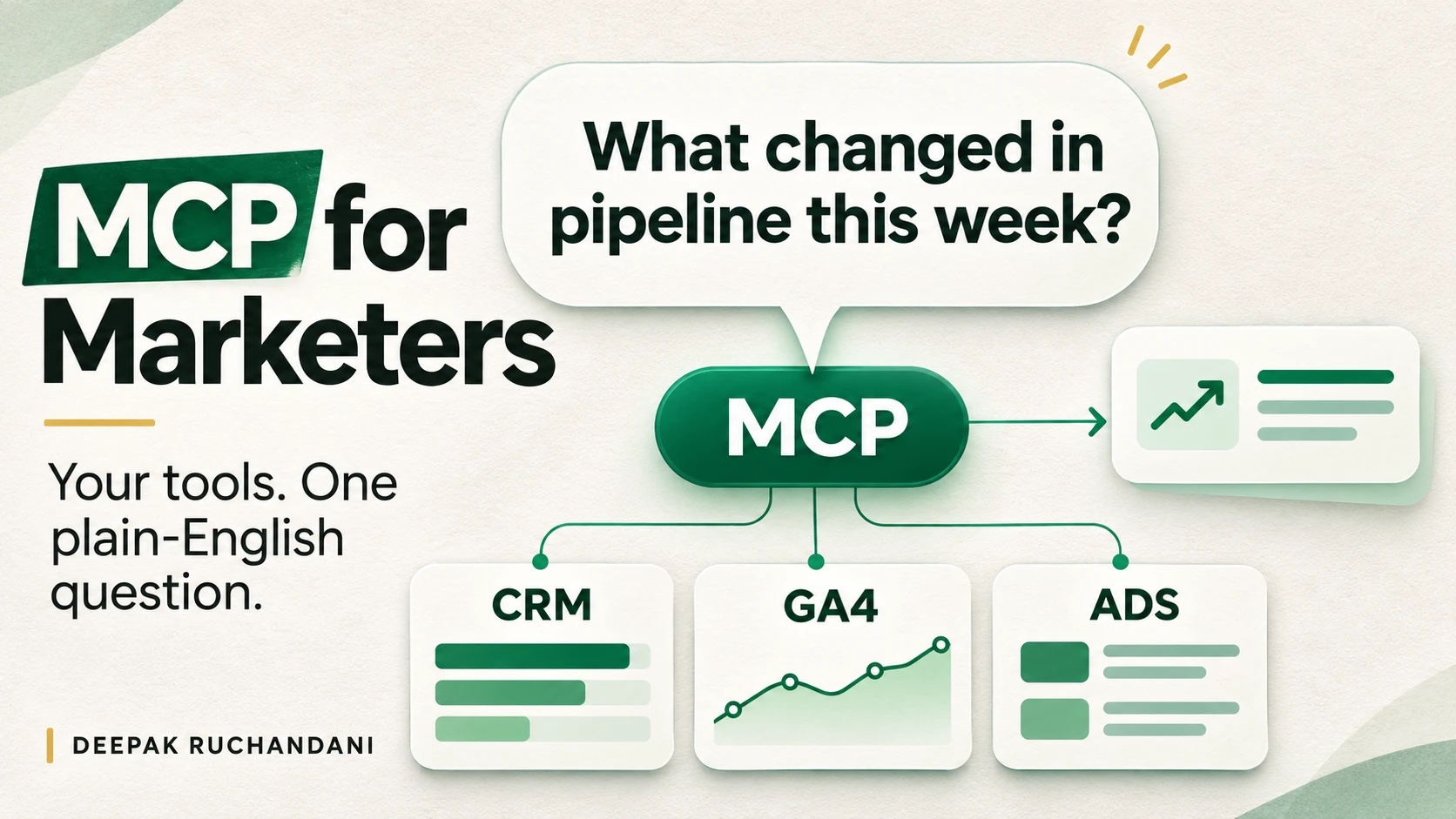
Every Monday, someone in marketing exports a CSV from Google Analytics, another from Google Ads and a third from the CRM, pastes them into a sheet and tries to work out what happened last week. By the time the slides are ready, the week is half gone.
There is now a simpler way. With the Model Context Protocol, or MCP, you can connect an AI assistant such as Claude or ChatGPT directly to HubSpot, GA4 and Google Ads, then ask a question in plain English: "Which campaigns drove the most demo requests last month, and what did each one cost?" The assistant pulls the numbers from each tool and answers.
TL;DR
- What it is: MCP is an open standard that lets AI assistants connect to your marketing tools through one common method, instead of a custom integration for every pair.
- Why now: HubSpot, Google Analytics, Google Ads, Salesforce Marketing Cloud, Klaviyo, Marketo and others now publish official MCP servers.
- What you get: answers from live data in minutes, cross-tool questions without exports, and a much simpler weekly reporting setup.
- The catch: an assistant connected to your CRM can see what you can see, and sometimes change it. Start read-only, check the numbers, and add write access one action at a time.
- Inside this guide: a plain-English explainer, a table of official servers, a step-by-step setup, the MCP Autonomy Ladder framework, 15 copy-ready prompts, a worked example, a safety checklist, ROI formulas and a 30-day rollout plan.
This post builds on two earlier guides: The AI Marketing Engineer and the AI marketing engineer portfolio, where the weekly reporting agent is Build 5.
What is MCP, in plain English?
MCP (Model Context Protocol) is an open standard that lets an AI assistant connect to other software, such as your CRM, analytics or ad accounts, through one common method. Think of it as a universal plug. Before MCP, every AI-and-tool pair needed its own custom integration. With MCP, a tool publishes one connector, and any AI app that supports MCP can use it. Airbyte describes it as one protocol instead of one custom integration per pairing (Airbyte).
Anthropic released MCP as an open standard in November 2024. OpenAI added support in March 2025, and in December 2025 Anthropic donated MCP to the Linux Foundation, with Anthropic, Block and OpenAI as co-founders (Knak). In other words, it is no longer one company's feature. It is shared plumbing.
The four words you need to know
| Term | Plain-English meaning | Marketing example |
|---|---|---|
| Host (or client) | The AI app you chat with | Claude, ChatGPT, Cursor |
| MCP server | The connector a tool publishes so AI apps can use it | HubSpot's server at mcp.hubspot.com |
| Tools | The specific actions a server allows | "Search contacts", "Run a GA4 report", "Create an email draft" |
| Permissions | What the connection is allowed to see and change | Read-only GA4 access; HubSpot access limited to your own user rights |
What MCP is not
- Not a new database. The data stays in HubSpot, GA4 and your ad accounts. The assistant reads it live when you ask.
- Not a replacement for your systems of record. Knak calls it one tool in the toolkit, not a single source of truth (Knak).
- Not automatically safe. A connected assistant can see whatever the account can see. More on this in the safety section.
- Not the same as Zapier. Zapier runs fixed workflows you designed in advance. MCP lets the assistant decide which tool to call to answer the question you just asked. The two work well together, and Zapier even publishes its own MCP server.
Why should marketers care now?
Because the tools you already pay for have shipped MCP servers in the last 18 months, and adoption has grown very fast. MCP went from a developer curiosity to standard plumbing in about a year and a half:
| Date | What happened |
|---|---|
| Nov 2024 | Anthropic releases MCP as an open standard; about 100,000 SDK downloads that month |
| Mar 2025 | OpenAI adds MCP support to its Agents SDK |
| Dec 2025 | MCP is donated to the Linux Foundation; Google ships managed MCP servers for Analytics, Looker and BigQuery |
| Feb 2026 | WordPress releases its official MCP adapter |
| Mar 2026 | MCP reaches 97 million monthly SDK downloads |
| Apr 2026 | Adobe Marketo Engage launches an MCP server with more than 100 operations; HubSpot's remote MCP server becomes generally available on April 13 |
| Jun 2026 | Salesforce's MCP Server for Marketing Cloud Engagement becomes generally available |
Sources: Knak for the timeline and download figures, Dupple for the HubSpot date, and Airbyte for Salesforce.
Three reasons this matters to a marketing team:
- Your data lives in too many places. Salesforce's State of Marketing 2026 found that the average organisation manages data across 7 sources, and only 26% of marketers are completely satisfied with their data connectivity (Salesforce). MCP lets one assistant query several of those sources in one conversation.
- Reporting eats the week. Every question that needs an export, a VLOOKUP and a chart is now a one-line prompt, if the data is connected.
- It is a career skill. AI marketing engineer and GTM engineer roles increasingly expect you to connect AI to live systems, not just paste data into a chat window. Knowing MCP is a practical way to show that.
A reality check: by early 2026 there were over 10,000 MCP servers (Dupple), but quality varies. In one census Knak cites, only 12.9% of servers scored "high trust". Stick to official servers from the vendors you already use.
How does MCP work?
You ask a question in your AI app. The app sees which MCP servers are connected and what tools each one offers, picks the right tools, calls them, and combines the results into one answer.
When you ask, "Which campaigns drove the most demo requests last month, and what did each cost?", the assistant calls the Google Ads server for spend, the HubSpot server for demo requests by campaign, and joins the two. You never open either tool. Each server only exposes the tools its vendor chose, and only the data your login can see.
Which marketing tools have MCP servers?
The safest servers to start with are the official ones from platforms you already pay for. Here is what is available as of late 2026.
The core three: HubSpot, GA4 and Google Ads
| HubSpot MCP | Google Analytics MCP | Google Ads MCP | |
|---|---|---|---|
| Publisher | HubSpot, hosted at mcp.hubspot.com | Google (googleanalytics GitHub org), labelled experimental | Google, documented on Google for Developers |
| Status | Generally available since April 13, 2026 | Experimental, open source | Open source |
| Read or write | Read and write | Mostly read; one optional write (property annotations) that must be switched on | Docs say read-only; the GitHub README lists a few confirm-gated asset and label write tools that can be turned off |
| Sign-in | OAuth; respects each user's HubSpot permissions | Google credentials | OAuth or Google credentials |
| What you can do | Read CRM records, activities, content, conversations and marketing email; write CRM records, pages, blog posts, campaigns, email drafts and segments | List properties; run standard, funnel and realtime reports; list custom dimensions and linked Ads accounts | List accounts; run queries for metrics, budgets and status |
| Cost | Included with HubSpot, with a request limit on the free tier | Free | Free |
Sources: eSEOspace for capabilities and sign-in, Dupple for dates and cost.
The wider marketing stack
| Category | Tools with MCP servers | Notes |
|---|---|---|
| CRM | HubSpot, Salesforce, Microsoft Dynamics 365, ActiveCampaign | Salesforce's server for Marketing Cloud Engagement reached general availability in June 2026 |
| Marketing automation and email | Adobe Marketo Engage, Klaviyo, Brevo, Knak | Marketo's server launched in April 2026 with 100+ operations |
| Analytics | Google Analytics, Mixpanel (beta), Looker, Improvado | Google also offers managed servers for Looker and BigQuery |
| Advertising | Google Ads, Meta Ads, Amazon Ads | A popular Meta Ads server is open source from Pipeboard, not Meta |
| SEO and AEO | Ahrefs, Semrush, DataForSEO | Need a paid account with each vendor |
| Search Console | Community servers only | No Google-published server found; review the code before connecting |
| Content and workspace | WordPress, Notion, Figma | WordPress released its official adapter in February 2026 |
| Many apps at once | Zapier MCP | Each tool call uses two Zapier tasks |
Sources: Knak, Airbyte, Dupple, eSEOspace.
Rule of thumb: official server from your vendor first, a well-known open-source server second, and a random server from a directory never, unless someone technical has read its code.
How do you connect your first MCP server?
You need two things: an AI app that supports MCP, and the server's URL or a ready-made connector. Many popular tools already appear in each app's connector directory, so you may only need to click Connect and sign in.
Which AI apps support MCP?
| AI app | Plans that support custom MCP servers | Read and write? | Where to set it up |
|---|---|---|---|
| Claude (web, desktop, mobile) | Free (one custom connector), Pro, Max, Team, Enterprise | Yes; you approve tool use, and can block individual tools | Customize > Connectors; on Team and Enterprise an Owner adds it under Organization settings > Connectors |
| ChatGPT | Business, Enterprise and Edu get full MCP including write actions; Plus and Pro get read and fetch-only custom connectors | Depends on plan | Developer mode, then create an app with the server URL |
| Developer tools | Claude Code, Cursor, VS Code agent mode | Yes | Command line or settings file |
Sources: Claude documentation, Boomi's ChatGPT setup guide, Knak. Plans and menus change often, so check your app's help centre before you start.
Setup in Claude, step by step
- Check the directory first. If HubSpot or another tool is already listed, connect it from there and sign in.
- For a server that is not listed, go to Customize > Connectors and click Add custom connector.
- Paste the remote MCP server URL, for example
https://mcp.hubspot.comfor HubSpot. - Choose how to sign in. Most marketing servers use OAuth, so you will be sent to the vendor to log in and approve the scopes.
- Review the scopes before you click approve. Read-only is the right start.
- Turn off the tools you do not need. You can set a single tool's permission to Blocked, and switch connectors on or off for each chat.
- Test with a question you already know the answer to, such as last month's sessions from a GA4 report you trust.
On Team and Enterprise plans, an Owner adds the connector for the whole organisation, and each person then connects with their own account (Claude documentation).
Setup in ChatGPT, step by step
- A workspace admin turns on developer mode under Workspace Settings > Permissions & Roles > Connected Data. Plus and Pro users turn it on under Settings > Apps & Connectors > Advanced settings.
- Go to Settings and create a new app (or connector).
- Enter a name, a short description of when to use it, and the server URL.
- Choose the sign-in method, usually OAuth, and create it.
- On team plans, an admin can publish the app for the whole workspace.
Source: Boomi's ChatGPT setup guide. See also OpenAI's help article on developer mode and MCP apps in ChatGPT.
Tip: start with a read-only analytics source such as GA4. It is low-risk and full of numbers you can check against reports you already trust.
The framework: the MCP Autonomy Ladder
The biggest mistake teams make with MCP is giving the assistant full access on day one. The MCP Autonomy Ladder is a simple way to avoid that: four rungs, each giving the assistant more power, and a gate you must pass before climbing.
| Rung | What the assistant does | Permissions needed | Typical marketing tasks | Risk level |
|---|---|---|---|---|
| 1. Read | Answers questions from one tool | Read-only, one server | Traffic by channel, campaign spend, deal counts | Low |
| 2. Analyse | Combines several tools and explains what changed | Read-only, several servers | Cost per deal, pipeline by source, weekly report | Low to medium: wrong joins and definitions |
| 3. Draft | Creates drafts that a person reviews | Write access limited to drafts | Email drafts, list proposals, content briefs, annotations | Medium |
| 4. Act | Changes live systems | Specific write tools with approval | Update CRM fields, create lists, pause a campaign | High: every action needs sign-off |
How to use it: write down which rung each workflow is on. For most marketing teams, much of the day-to-day value sits on rungs 1 and 2, which carry the least risk. Move a workflow up only when its gate is met, and move it back down after any incident. The same staged approach shows up in eSEOspace's safe-start steps: connect read-only first, add HubSpot read access, then enable one write action at a time, starting with low-risk drafts (eSEOspace).
15 things you can ask once your tools are connected
Copy these prompts, swap in your own names and dates, and run them. Each one replaces an export or a dashboard hunt. The rung shows how much autonomy it needs (see the ladder above).
Reporting and analysis (rungs 1 and 2)
| # | Prompt | Servers needed | What it replaces |
|---|---|---|---|
| 1 | "Compare sessions, engaged sessions and key events by channel for the last 28 days against the previous 28. Show a table and the three biggest changes." | GA4 | Building a comparison report by hand |
| 2 | "Which Google Ads campaigns spent more than 20% over their daily budget pace this week? List spend, conversions and cost per conversion." | Google Ads | Checking the budget pacing dashboard |
| 3 | "Which landing pages had the biggest drop in conversion rate this month? For each, show sessions, key events and the main traffic source." | GA4 | Funnel exploration and filtering |
| 4 | "List deals created last quarter by original source. Which source has the highest win rate and the shortest sales cycle?" | HubSpot | A CRM report and a spreadsheet pivot |
| 5 | "For contacts who became customers in the last 90 days, what was the first campaign they engaged with?" | HubSpot | An attribution export |
| 6 | "Join last month's Google Ads spend by campaign with HubSpot deals created from those campaigns. What is the cost per deal and pipeline per rupee spent?" | Google Ads and HubSpot | A multi-tool VLOOKUP job |
| 7 | "Find the GA4 property's linked Google Ads accounts and check that conversions are importing. Flag anything missing." | GA4 and Google Ads | A setup audit |
Sales and customer insight (rung 2)
| # | Prompt | Servers needed | What it replaces |
|---|---|---|---|
| 8 | "Summarise the last 10 closed-lost deals: main loss reasons from notes, competitors mentioned and deal size." | HubSpot | Reading deal records one by one |
| 9 | "Which open deals over Rs 10 lakh have had no activity in 14 days? List the owner and next step." | HubSpot | A stale-deal report |
| 10 | "Which enterprise customers opened support tickets this week and are up for renewal in the next 90 days?" | CRM and help desk | A cross-team spreadsheet |
Content and SEO (rungs 2 and 3)
| # | Prompt | Servers needed | What it replaces |
|---|---|---|---|
| 11 | "Which blog posts brought the most organic sessions last quarter but have the lowest conversion rate? Suggest one CTA change for each." | GA4 | A content audit |
| 12 | "Pull the keywords where we rank 4 to 10 for our top 20 pages and draft a refresh brief for the top three." | Ahrefs or Semrush | An SEO quick-wins spreadsheet |
| 13 | "Draft a follow-up email for webinar attendees who have an open deal. Save it as a draft; do not send." | HubSpot | Writing the email and building the list |
Operations (rungs 3 and 4, with approval)
| # | Prompt | Servers needed | What it replaces |
|---|---|---|---|
| 14 | "Create a static list of contacts from companies with 200+ employees who visited the pricing page this month. Show me the count before creating it." | HubSpot | Building a list by hand |
| 15 | "Add a GA4 annotation for today: 'Pricing page redesign launched'. Confirm with me before writing." | GA4 (write switched on) | Forgetting to log changes |
Prompts that work better: name the date range, the metric definition and the output format. Ask the assistant to show the query it ran, so you can check it. Ask for a comparison, not a single number. Single numbers are the easiest to misread.
Worked example: the weekly reporting agent, rebuilt with MCP
In my AI marketing engineer portfolio guide, Build 5 is a weekly reporting agent: pull the numbers, write the commentary, post it every Monday. Without MCP, most of the effort goes into plumbing. With MCP, most of it goes into the prompt and the checks.
| Step | Without MCP | With MCP |
|---|---|---|
| Get the data | Set up connectors or exports for GA4, Ads and the CRM; map fields into one sheet | Connect three servers once; the assistant queries them live |
| Combine sources | Formulas or a database join | Ask in the prompt: "join spend by campaign with deals by source" |
| Write commentary | Send the sheet to an AI model | Same conversation, same model |
| Fix a broken pipe | Debug the export or the connector | Re-authenticate the server, or rerun the question |
| Add a new metric | Change the export, the sheet and the prompt | Change one line of the prompt |
| Rough setup time | Days, for a first-time builder | An afternoon, once access is approved |
Setup times are rough estimates for a non-technical marketer, not benchmarks.
The Monday report prompt
You are the marketing analyst for [Company]. Use the connected GA4, Google Ads
and HubSpot tools. Today is [date]. "Last week" means Monday to Sunday.

1. Pull, for last week and the 4 weeks before it:
   - GA4: sessions, engaged sessions and key events by default channel group
   - Google Ads: spend, clicks, conversions and cost per conversion by campaign
   - HubSpot: new contacts, MQLs, deals created and pipeline value by original source
2. Build one table per source with: this week, last week, 4-week average, % change.
3. Join Ads spend to HubSpot deals by campaign where the source matches,
   and calculate cost per deal and pipeline per rupee.
4. Write a 5-line summary: what moved most, the likely reason based only on
   this data, and one recommended action with an owner.
5. Data checks before anything else: flag zero values, missing days, and any
   metric that moved more than 50%. If a check fails, say so at the top.
6. List every tool call you made and the date range used, at the end.

Do not change anything in any connected tool. Read only.
Four checks before the report goes out
- Spot-check two numbers against GA4 and HubSpot's own reports each week for the first month. eSEOspace warns that AI summaries can misread date ranges or filters (eSEOspace).
- Lock the definitions. Write down what "MQL", "pipeline" and "key event" mean in your setup and paste them into the prompt.
- Check the tool-call list at the end of the report. If a source is missing, the summary is incomplete.
- Keep a human sign-off before posting to leadership, at least until four reports in a row need no corrections.
What to measure: reporting hours before and after, corrections needed per report, and decisions made from the report. Those three numbers make a strong portfolio case study.
Is MCP safe? Risks and a guardrails checklist
MCP is as safe as the permissions you grant and the servers you trust. The protocol itself is just plumbing. The risk comes from what the connected assistant can see and do. Claude's own documentation is direct about this: a remote MCP server gives the assistant tools that can read data, create, modify or delete it, and take actions on your behalf (Claude documentation).
The six risks marketers should know
| Risk | What it looks like in marketing | Guardrail |
|---|---|---|
| Over-broad access | A read-only connection still exposes every contact, deal and note the account can see | Connect with a role that sees only what the task needs |
| Unintended writes | The assistant edits a live campaign, list or CRM field | Keep write tools off; enable one action at a time with confirmation |
| Wrong numbers | It reads the wrong date range, filter or metric definition | Spot-check against native reports; ask it to show the query |
| Prompt injection | Hidden instructions in an email, web page or form fill tell the assistant to do something else | Separate untrusted content from private data and send actions (see the trifecta below) |
| Unvetted servers | A community server leaks credentials or behaves badly | Official servers only; have someone technical review any other code |
| Silent changes | A vendor updates its server and tools change | Monitor tool behaviour; re-test after updates |
Sources: Airbyte on access risk and changing tool lists, eSEOspace on spot-checks and community servers, Claude documentation on precautions.
The lethal trifecta, in marketing terms
Security researcher Simon Willison named a pattern called the lethal trifecta in June 2025: an AI agent that has access to private data, exposure to untrusted content, and a way to communicate externally can be tricked into leaking data. Each leg is useful alone. All three together let an attacker plant instructions in content the agent reads (Arcjet).
In marketing, the three legs are easy to assemble by accident:
- Private data: your CRM, with every contact and deal.
- Untrusted content: inbound form fills, support emails, competitor web pages, reviews.
- External communication: sending email, publishing a page, posting to Slack or fetching a URL.
Arcjet notes that MCP makes it easy to combine tools from different sources, which can complete the trifecta without anyone intending it. The fix is to break one leg in each workflow. For example, an agent that reads competitor pages should not also have CRM access and email-sending rights in the same session.
The guardrails checklist
- Start with read-only servers, and connect GA4 or an ads account before the CRM.
- Use a test property or sandbox CRM for the first two weeks, if you have one.
- Grant the lowest permission that works, and use each person's own login so the CRM's permissions apply.
- Block every tool you do not need, and switch connectors off in chats that do not need them.
- Turn on write tools one at a time, starting with low-risk drafts, never sends or budget changes.
- Keep a human approval step for anything that spends money, emails customers or changes live pages.
- Never combine untrusted inputs, CRM access and send rights in one workflow.
- Read tool-approval prompts before clicking; only use "always allow" for trusted, read-only servers.
- Review connected servers and users every month, and remove what is unused.
- Agencies: keep each client's connections in a separate workspace or profile.
- Ask IT or security to approve servers before connecting company data.
Most of these items come from the starting advice in eSEOspace, Dupple and the Claude documentation. Dupple's own rule for anything with write access, such as ads: test on a throwaway campaign before touching your main account, and keep a human in the loop for anything that commits ad spend.
How do you measure the ROI of MCP?
Measure the questions it answers, not the connectors you set up. Salesforce found that high-performing marketers save about 8 hours a week through automation (Salesforce). Yet in Basis's 2026 survey, only 6.5% of marketing organisations measured AI returns against defined benchmarks (PPC Land on the Basis report). Be in the 6.5%.
The formula:
Monthly value = (questions per month × minutes saved per question ÷ 60) × loaded hourly cost
Worked example (illustrative numbers): a team asks 40 data questions a month. Each used to take 45 minutes of exports and spreadsheets, and now takes 10 minutes including checks, so 35 minutes saved each. At a loaded cost of Rs 1,500 an hour:
40 × 35 ÷ 60 × 1,500 = Rs 35,000 a month
Track these five numbers for 60 days:
| Metric | How to capture it | Why it matters |
|---|---|---|
| Questions answered per month | Count prompts in a shared log | Volume of use |
| Minutes per question, before and after | Time five typical questions both ways | The core saving |
| Accuracy rate | Share of answers that matched the native report | Trust |
| Decisions made from answers | A one-line log: question, answer, decision | Business impact |
| Incidents | Wrong numbers that reached a stakeholder, or unwanted changes | Risk |
If accuracy is below 95% after a month, fix the prompts and metric definitions before you add more servers.
A 30-day rollout plan
Four weeks is enough to go from nothing to a measured, trusted Monday report, if you keep the scope small: one team, one recurring question, read-only access.
| Week | Focus | Done when |
|---|---|---|
| Week 1 | Connect one read-only server (GA4 or an ads account) and time five typical questions the old way | Test questions match your native reports, and you have a "before" baseline |
| Week 2 | Add the CRM, read-only with your own login, and lock metric definitions | Cross-tool questions (rung 2) run, with every answer spot-checked |
| Week 3 | Run the Monday report prompt with the four checks and a human sign-off | First reports posted, with corrections logged |
| Week 4 | Measure accuracy, time saved and decisions made; pick one draft action to try next | An ROI number and a decision on rung 3 |
At the end of week 4 you have a working system, a log of accuracy, an ROI number and a decision on which draft action to try next. That is also a complete case study for the AI marketing engineer portfolio.
Frequently asked questions
What is MCP in marketing?
MCP (Model Context Protocol) is an open standard that lets AI assistants such as Claude and ChatGPT connect to marketing tools like HubSpot, Google Analytics and Google Ads, so you can ask questions about live data in plain English.
Does HubSpot have an MCP server?
Yes. HubSpot's remote MCP server at mcp.hubspot.com became generally available on April 13, 2026. It can read and write CRM records and marketing content, within each user's HubSpot permissions.
Is there a Google Analytics MCP server?
Yes. Google publishes an open-source, experimental GA4 MCP server. It is mostly read-only, with one optional write action for property annotations.
Can MCP change my campaigns or CRM data?
It can if the server offers write tools and you allow them. HubSpot's server can write; Google's GA4 and Ads servers are mostly or fully read-only. Start read-only and turn on write tools one at a time.
Do I need to code to use MCP?
No. In Claude or ChatGPT, connecting an official server is a settings task: paste a URL or pick it from the directory, then sign in. Building your own server does need a developer.
Is MCP the same as Zapier?
No. Zapier runs workflows you designed in advance. MCP lets the assistant choose which tool to call to answer your question. They work together; Zapier also offers its own MCP server.
Which plan do I need?
Claude supports custom connectors on Free (one connector), Pro, Max, Team and Enterprise. In ChatGPT, full MCP with write actions is on Business, Enterprise and Edu, while Plus and Pro get read-only custom connectors. Check current plan details before you start.
The bottom line
MCP turns your AI assistant from a smart writer into a smart analyst that can see your real numbers. For marketers, that means fewer exports, faster answers and much simpler reporting. It also means new risks, because an assistant that can read your CRM can, if you let it, change it.
Start this week with one read-only server and one recurring question. Check the answers against your native reports for a month. Climb the ladder one rung at a time. The marketers who learn this now will be the ones building their team's AI systems next year.
References
- Airbyte, "MCP for marketing". Source for the plain-terms definition, platform list, use cases and risks.
- eSEOspace, "MCP for Marketing Teams: GA4, Search Console, HubSpot and Ads" (October 2026). Source for server capabilities, read/write status, sign-in and safe-start steps.
- Knak, "MCP Adoption in 2026: What Marketers Need to Know". Source for the adoption timeline, download figures, marketing tools with servers and server quality.
- Dupple, "The 9 Best MCP Servers for Marketing in 2026". Source for the HubSpot GA date, costs, server count and write-access tips.
- Claude documentation, "Add a connector that isn't in the directory". Source for Claude setup steps, plans and security precautions.
- Boomi, "Connect ChatGPT" setup guide. Source for ChatGPT plan requirements and setup steps. See also OpenAI's help article on developer mode and MCP apps.
- Arcjet, "The lethal trifecta for AI agents". Source for the trifecta definition and mitigations, originally named by Simon Willison in June 2025.
- Salesforce, "State of Marketing 2026". Source for data-source and time-saving figures.
- PPC Land on Basis, "AI and the Future of Marketing" (2026). Source for the share of organisations measuring AI ROI.
- Deepak Ruchandani, "AI Marketing Engineer Portfolio: 5 Builds That Get You Hired".
- Deepak Ruchandani, "The AI Marketing Engineer".
Data checked as of November 14, 2026. MCP servers, plans and menus change quickly; check each vendor's documentation before you connect.